
Marshmallow
Spend less time on your phone. Grow something instead.
Marshmallow turns reducing screen time into a visual growth journey. Block the apps that pull you back in, finish a focus session, and every completed block grows your marshmallow a few centimetres closer to the next milestone.
A simple loop that rewards focus
Less phone time becomes visible progress — a size that only ever moves forward, not another streak you can break in one bad evening.
Block what pulls you away
Choose the apps and categories to silence — or block the lot — and iOS holds the line until the block ends.
Finish the block
A Quick Block you start on the spot, or a Timed Block that starts itself at the same hour each day.
Earn real centimetres
Completing it adds growth, scaled by how long you focused, how you blocked, and how long your streak is.
Watch it add up
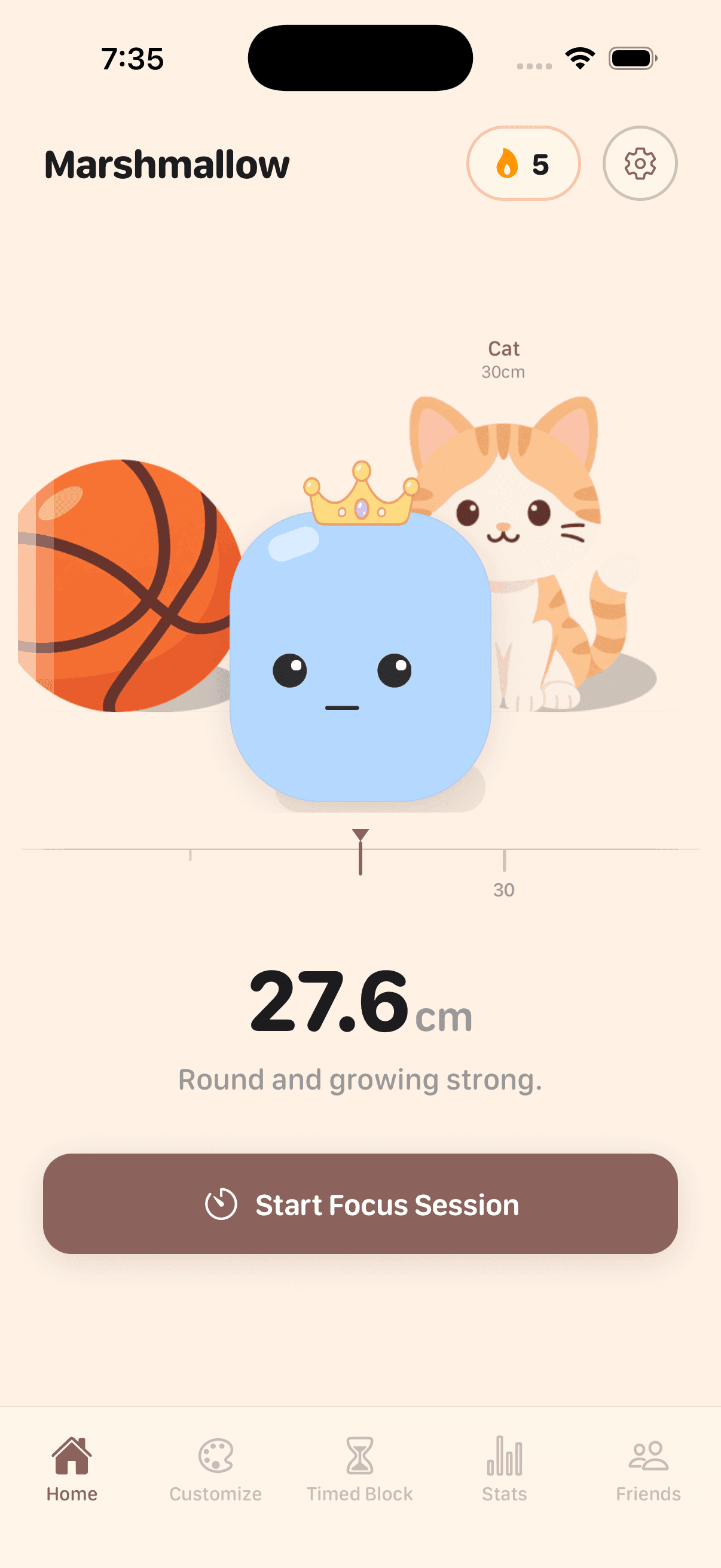
Your marshmallow measures itself against the next object it can reach — and you only find out what that is as you get close.
Inside the app
Actual screens from Marshmallow on iPhone.
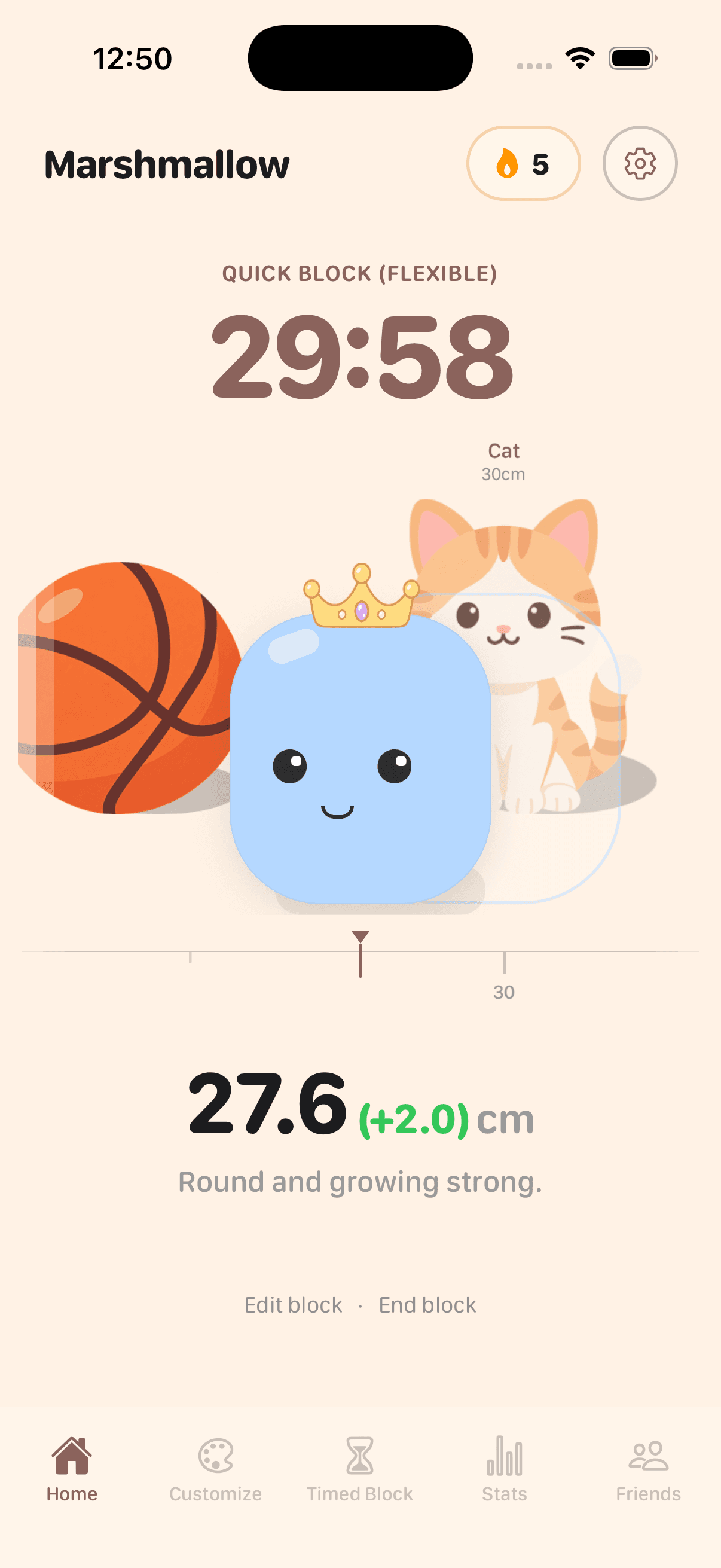
Start in seconds
Set a length, pick what to block, and hold to start. The sheet shows the growth the block will earn before you commit.
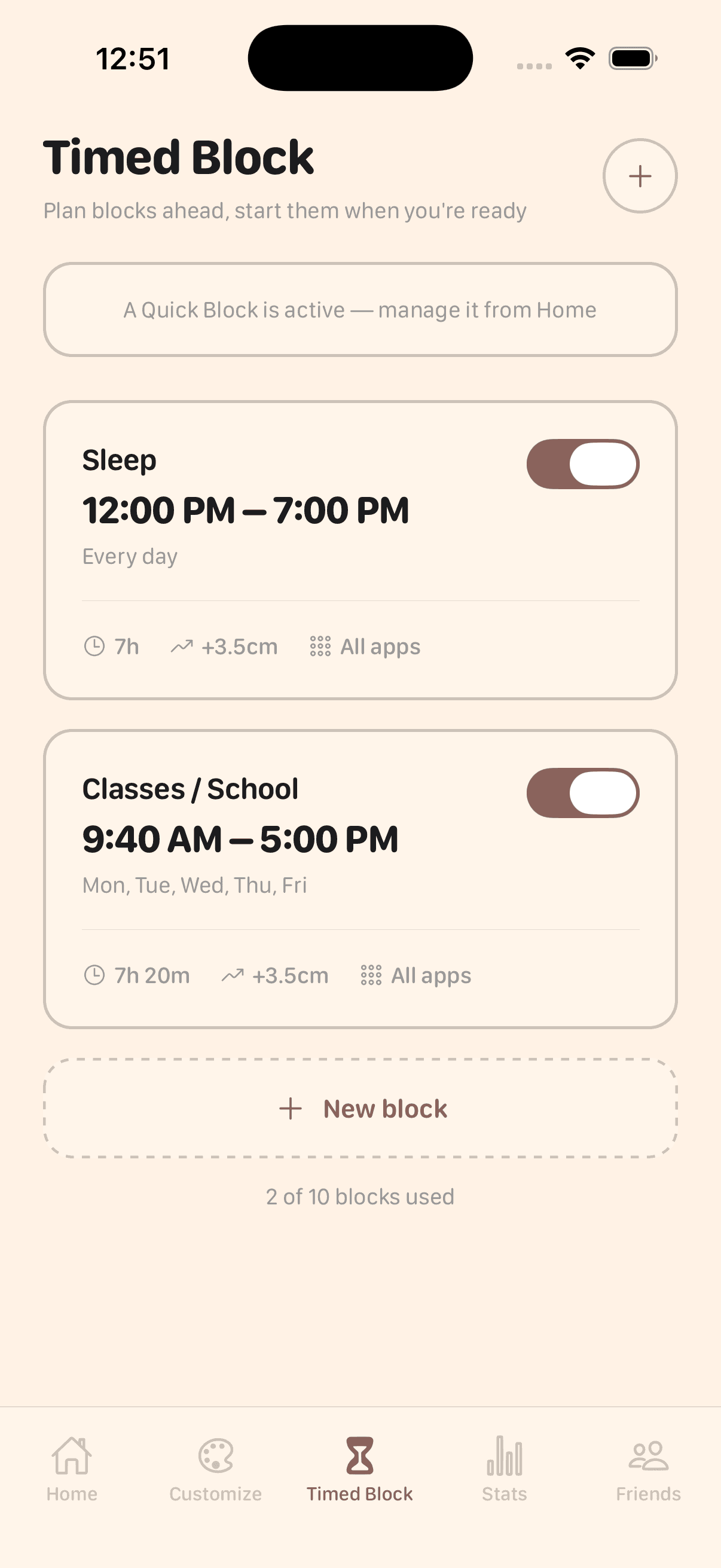
Protect the same hours daily
Schedule a block once and it starts on its own, at the same time each day — no reminder to ignore.
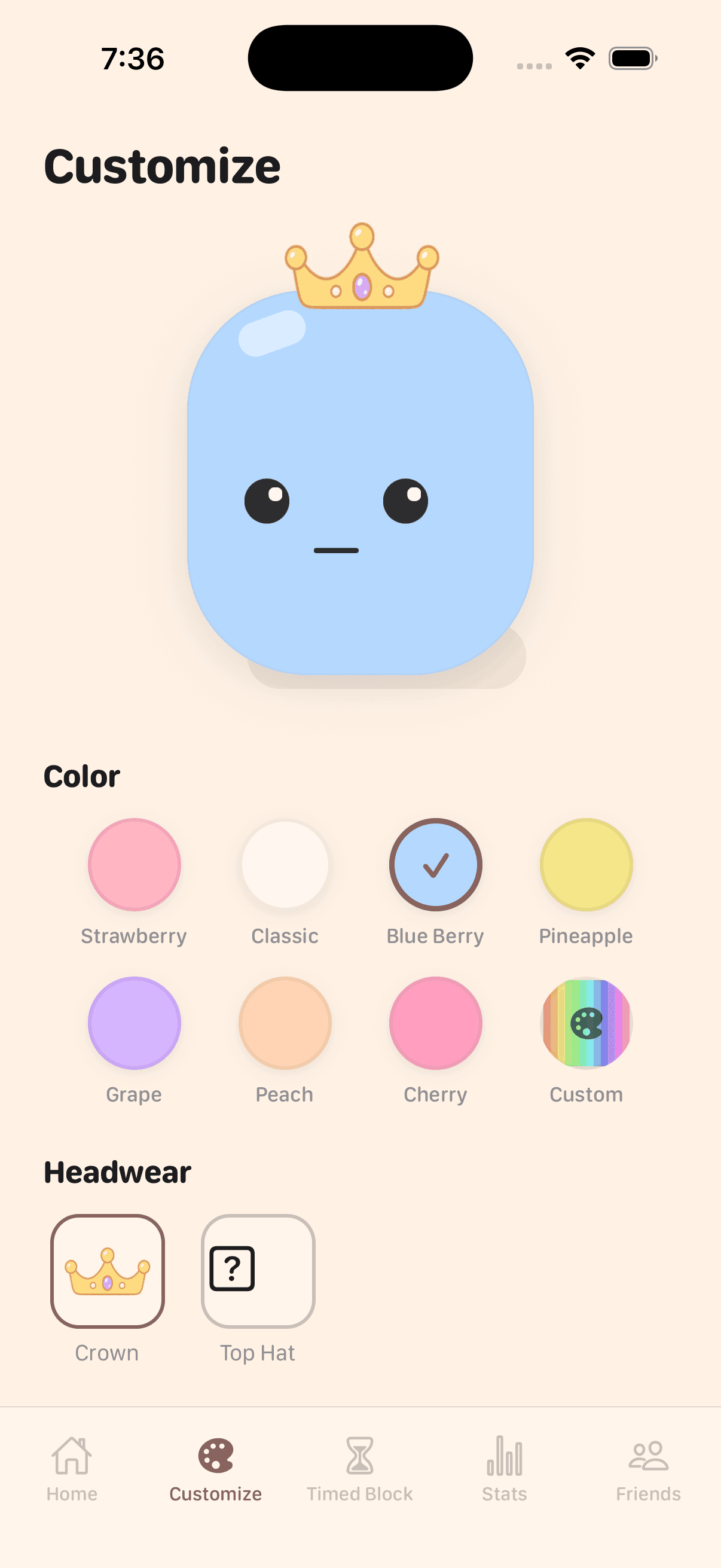
Make it yours
Eight colours, a custom picker, and headwear you unlock as you grow. Your marshmallow keeps its look everywhere it appears.
Progress you can measure
Your marshmallow is measured in centimetres, and every size is something real to stand next to. What that something turns out to be is the part you earn — each one stays hidden until you’re nearly big enough to stand beside it, and the scale keeps going well past the last step here.
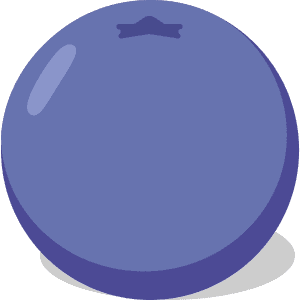
2cm
Blueberry

5cm
Strawberry

9cm
Apple

11cm
Cupcake
24cm
???
30cm
???
45cm
???
80cm
???
1m
???
1.2m
???
1.7m
???
Built for focus that sticks
The essentials from the Marshmallow app — nothing extra.
App blocking
Pick the apps and categories to silence, or block everything at once. Nothing gets through until the block ends.
Quick Block
Choose a length, hold to start, and you're focusing. Flexible blocks include breaks you can take without ending the session.
Timed Block
Schedule the hours you want protected and they start on their own, the same time every day.
Deep FocusPremium
A stricter mode you can't talk your way out of mid-block. Finishing one earns 10% more growth than the same block without it.
Streaks
Focus on consecutive days and every block is worth more — 5% more from a week, 10% from a month.
Stats
See what you actually grew by day, week, month or year, alongside your real Screen Time and most-used apps.
Friends
Add people by username or friend code and see who's grown the most on a shared leaderboard.
On your Home Screen
A widget shows your marshmallow and the countdown on the running block, and a Live Activity keeps it on the Lock Screen.
Questions, answered
How does the blocking actually work?
Marshmallow uses Apple's Screen Time (Family Controls) framework, the same system Apple's own limits run on. You grant access once, pick the apps and categories to block, and iOS enforces it — nothing leaves your phone for us to enforce it remotely.
What stops me from just turning a block off?
A normal block can be ended early if you genuinely need to. Deep Focus is the stricter mode: once it starts, it stays on until the block ends, and finishing one earns 10% more growth than the same block without it. It is a Premium feature.
Does my marshmallow ever shrink?
No. Growth only ever comes from blocks you complete, so it never goes backwards. Longer blocks earn diminishing returns per minute, which is deliberate — a few focused sessions beat leaving everything blocked all day.
Is it free?
The core loop is. Quick Blocks, app blocking, streaks, friends, daily and weekly stats, and two scheduled blocks all come free. Premium adds Deep Focus, up to ten scheduled blocks, month and year stats, allow-only blocking and more cosmetics — $3.99 a month or $24.99 a year, after a 7-day free trial.
Which devices does it run on?
iPhone. The blocking is built on Apple's Screen Time framework, which has no Android equivalent, so an Android version isn't available yet.
What happens to my progress if I sign out?
It's tied to your account, not the device. Sign back in on any iPhone and your size, streak and history come with you.
Take back your screen time
Be one of the first to try Marshmallow.